 Invoice scan
→
Recognized locally
Payment data
RecipientSanitär Krause
AmountEUR 359.44
IBANDE58 5705 0120 0094 7103 28
PurposeInvoice 2026-0417
IBAN validated by Docutain
Updated
5 min read
By Sarah Karbach
Mobile Photo Payment: How Invoice Scanning Works
Photo payment turns a paper or digital invoice into a prefilled bank transfer without forcing the user to type an IBAN, amount and reference manually.
A banking app captures the invoice, extracts the payment information and presents it for review. With Docutain SDK 1.9, the same flow can read a GiroCode when one is available and fall back to invoice text recognition when it is not.
- Inputs
- Camera, PDF, image
- Data sources
- GiroCode or invoice text
- Typical output
- Recipient, IBAN, amount, reference
- Docutain
- Local and offline processing
What is mobile photo payment?
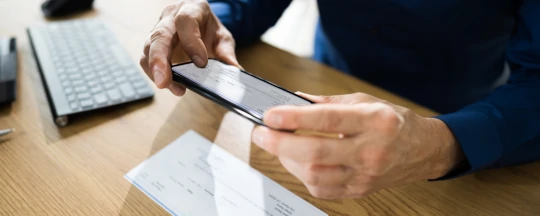
Photo payment is a capture-and-extraction feature inside a banking or financial app. The user photographs a bill or imports an existing file. Software then identifies the payment-relevant fields and transfers them into a draft payment form.
The feature does not authorize the payment itself. The user still reviews the values and completes the banking app's established authentication and approval process.
How does photo payment work?
- Capture or import: the user scans a paper invoice or selects a PDF or image.
- Recognize: the app reads a GiroCode or extracts payment data from the invoice text.
- Prefill: recipient, IBAN, amount and reference are mapped to the transfer form.
- Review: the user confirms that the recognized values belong to the intended invoice and recipient.
- Authorize: the banking app continues with its normal approval and transfer process.
Real demo data
From a photographed invoice to ready-to-use payment data
The invoice is captured under real-world conditions, corrected for downstream processing and converted into structured fields for the transfer screen.
1 · CaptureA real paper invoice under everyday conditions
→
2 · PrepareCorrected and optimized for local recognition
→
Recognized locally
Payment data
RecipientSanitär Krause
AmountEUR 359.44
IBANDE58 5705 0120 0094 7103 28
PurposeInvoice 2026-0417
IBAN validated by Docutain
3 · PrefillStructured values for the banking app's review screen
GiroCode and OCR: two inputs, one payment form
A GiroCode is a standardized EPC QR code that carries structured data for a SEPA credit transfer. Conventional invoices may not include one, so text recognition remains essential.
| Method | Best suited for | What happens |
|---|
| GiroCode recognition | Invoices with a valid EPC QR code | Structured payment fields are decoded directly |
| Invoice OCR | Printed or digital invoices without a usable code | Payment fields are identified in the visible document text |
Docutain SDK 1.9 combines both paths in Photo Payment and enables GiroCode extraction by default. Users do not need to decide which scanner to open.
Benefits for users and app providers
For banking-app users
- Less manual typing and fewer transposed digits.
- A faster route from invoice to reviewed transfer.
- The same workflow for paper invoices, PDFs, images and GiroCodes.
- Clear control because the final values remain visible before authorization.
For banks and fintech providers
- A guided capture UI instead of a custom camera and extraction pipeline.
- One integration path for GiroCode and invoices without QR codes.
- Structured results that can be mapped into the existing payment screen.
- A workflow that can be branded and tested within the host app.
Security and data protection
Invoices can reveal addresses, purchases and other personal information beyond the fields needed for a transfer. The data architecture is therefore an important product decision.
Docutain performs scanning, supported payment-data extraction and IBAN validation locally on the device. Only valid IBANs are returned. No external recognition server is required. The host app determines what happens to the result and remains responsible for storage, transfer, its business rules, user confirmation and payment authorization.
How app providers can integrate photo payment
The Docutain Photo Payment SDK provides ready-to-use UI components for Android, iOS and supported cross-platform frameworks. The implementation receives structured payment data and hands it to the app's existing transfer screen.
For a technical walkthrough with current Kotlin dependencies, initialization, result JSON, GiroCode behavior and a real-device test checklist, continue with the SDK 1.9 integration guide.
FREQUENTLY ASKED QUESTIONS
Mobile photo payment
Typical payment fields include the recipient, IBAN, BIC, amount, invoice reference and payment reference. Available fields depend on the invoice or GiroCode.
Yes. A suitable integration can accept paper scans as well as existing PDF and image files.
The Photo Payment flow can extract the relevant fields from the visible invoice text, so the user stays in the same workflow.
No. It prefills payment data. The user reviews the result and the banking app performs its own authorization process.