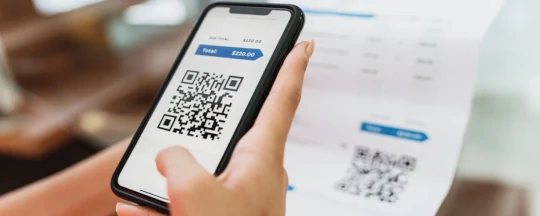
 EPC QR code
→
Decoded locally
Transfer data
RecipientSanitär Krause
AmountEUR 359.44
IBANDE58 5705 0120 0094 7103 28
PurposeInvoice 2026-0417
Ready for user review
Updated
5 min read
By Sarah Karbach
GiroCode Payments: How the EPC QR Code Works
A GiroCode puts the data for a SEPA credit transfer into a QR code, allowing a banking app to prefill the transfer form after one scan.
The code can reduce manual entry and typing errors on invoices and donation forms. It is not a payment authorization: Docutain validates the returned IBAN, while the banking app applies its own business rules, presents the values to the user and performs its normal approval process.
- Format
- EPC QR code
- Payment type
- SEPA credit transfer
- Typical data
- Recipient, IBAN, amount, reference
- Fallback
- Invoice text recognition
What is a GiroCode?
GiroCode is the common name for an EPC QR code used to transport payment data for a SEPA credit transfer. Invoice issuers can print it on paper documents or include it in digital invoices. A compatible banking app scans the code and maps the encoded values to a transfer form.
This is different from a SEPA direct debit. A GiroCode prepares a credit transfer initiated and approved by the payer; it does not give a creditor permission to debit an account.
Which data can a GiroCode contain?
Depending on the invoice and the applicable EPC format, the payload can include:
- the recipient's name;
- the recipient's IBAN and, where applicable, BIC;
- the transfer amount and currency;
- a structured or unstructured payment reference;
- optional information intended for the payer.
Docutain returns an IBAN only when it is valid. The banking app should still treat all decoded values as input rather than authorization data, apply its payment rules and display them before the user approves the transfer.
How does paying with GiroCode work?
- The invoice issuer creates an EPC-compatible QR code with the intended transfer data.
- The user opens the scan or photo-payment function in a compatible banking app.
- The app reads the code and prefills its transfer form.
- The user reviews recipient, IBAN, amount and reference.
- The banking app performs its normal authentication and submits the SEPA credit transfer.
GiroCode compared with invoice OCR
| Criterion | GiroCode | Invoice text recognition |
|---|
| Source | Structured EPC QR payload | Visible text on the invoice |
| Requirement | A valid code must be present and readable | The relevant fields must be visible and legible |
| Typical use | Directly decode prepared payment fields | Extract fields from invoices without a usable code |
| Best app experience | One entry point that chooses the suitable extraction path automatically |
For this reason, GiroCode and OCR complement each other. A banking app that supports both can process more invoice layouts without forcing the user to choose a separate scanner.
Integrating GiroCode into a banking app
Docutain SDK 1.9 integrates GiroCode extraction into Photo Payment and enables it by default. The same flow can scan a code, capture an invoice or import a PDF or image. If no usable GiroCode is available, invoice text recognition can extract the payment fields.
Developers can follow the Android integration guide for Photo Payment and GiroCode for current dependencies, Kotlin setup, JSON output and a practical test checklist.
Review and security
- Show recipient, IBAN, amount and reference before authorization.
- Apply the app's business rules to required fields, amounts, currencies and supported characters.
- Offer manual correction or invoice OCR when a code is damaged or incomplete.
- Test printed, screen-displayed and low-contrast codes on physical devices.
- Keep payment authorization within the banking app's established security controls.
Docutain evaluates supported GiroCode and invoice data locally on the device. The host app controls the returned result and all subsequent payment processing.
FREQUENTLY ASKED QUESTIONS
GiroCode and photo payment
No. A GiroCode carries data to prepare a SEPA credit transfer. The payer reviews and authorizes that transfer in the banking app.
No. It is optional. Invoice text recognition provides a useful fallback for documents without a valid or readable code.
No. It prefills data. Docutain validates the returned IBAN; the banking app remains responsible for its business rules, user confirmation, authentication and transfer execution.
No. Since SDK 1.9, Photo Payment supports GiroCode extraction directly and enables it by default.