Published 8 min readBy Daniel Weber
Document Scanner SDK platforms: choose the right integration
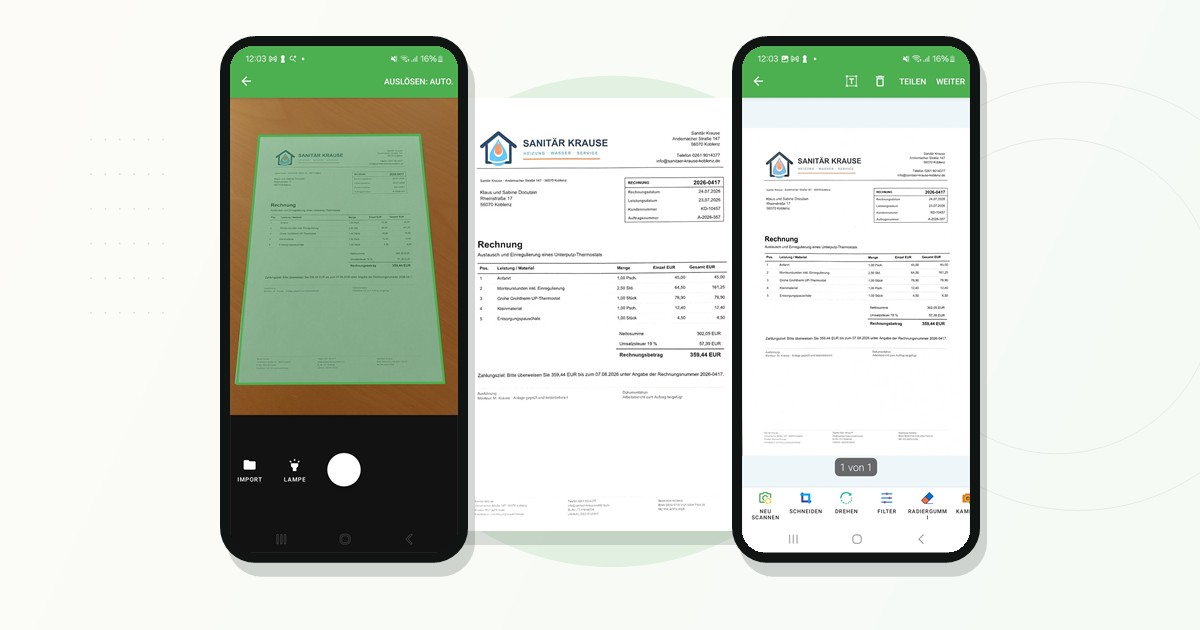
Docutain provides the same core document workflow across native and cross-platform mobile stacks: guided capture, edge detection, perspective correction, page editing and local result processing.
The integration API and package differ by platform. This guide maps the supported paths and links to the detailed implementation guides and current reference documentation.
- Native
- Android and iOS
- Cross-platform
- Kotlin Multiplatform, MAUI, React Native and Flutter
- Hybrid
- Capacitor and Cordova
- Maintenance
- Xamarin supported; MAUI preferred for new .NET apps
Supported Document Scanner integrations
How to choose the integration
Use the SDK package that matches the host application's architecture. Native Android and iOS provide the most direct platform integration. Kotlin Multiplatform fits apps sharing Kotlin code between Android and iOS, with native or Compose UI. MAUI, React Native and Flutter fit their respective shared app stacks. Capacitor or Cordova fit hybrid applications that bridge web code to native capabilities.
Do not choose a framework only for the scanner. The decisive factors are the existing codebase, team expertise, release pipeline and the other native features your application needs.
What stays consistent across platforms
Evaluate on representative physical devices
Use emulators for navigation and basic integration tests, but validate camera focus, automatic capture, edge detection and scan quality on real Android and iOS devices. Include representative documents, lighting conditions, page sizes and device performance classes.
You can first inspect the capture experience in the Docutain Showcase Apps, then request a free trial license for your own application.
Plan your integrationTest the scanner in your target stack
Evaluate scan quality and the complete result workflow in your own application.