Updated March 17, 2026 by Sarah Karbach · 8 min read
Digitizing document workflows in freight and logistics
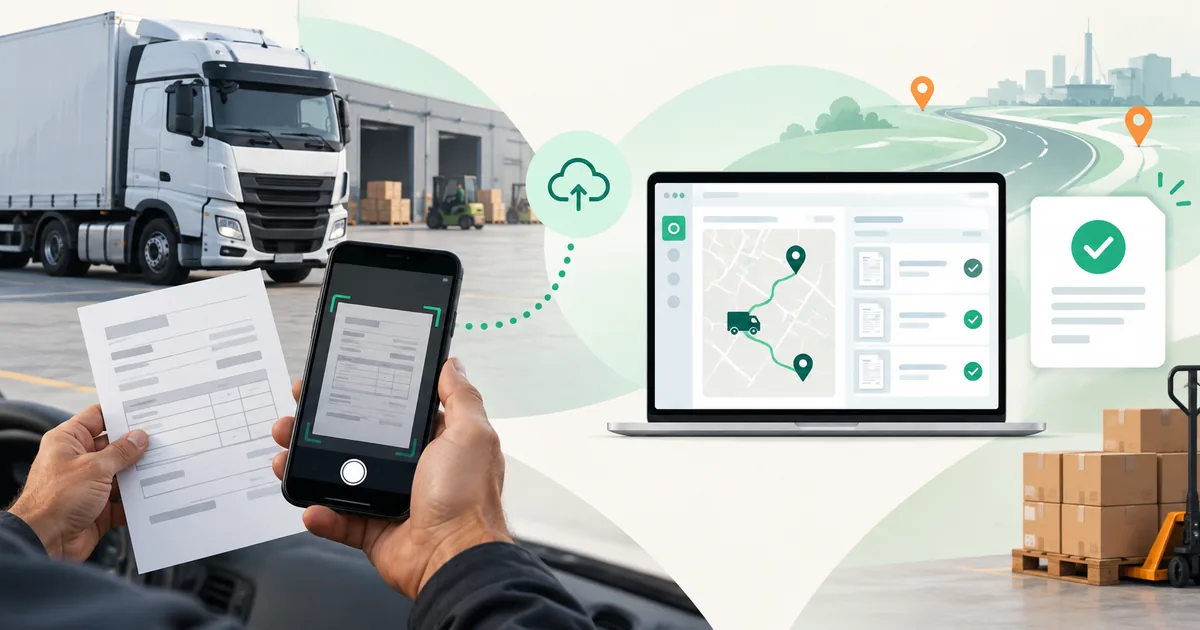
A good mobile workflow does not end with a photo of a freight document. It connects guided capture, reliable scan quality, local processing and controlled transfer to dispatch, billing or archiving.
- On site
- Capture documents directly with the driver
- Offline
- Keep working without stable connectivity
- Quality
- Correct perspective and enhance images
- Transfer
- Feed results into existing systems
Why paper handoffs slow down logistics workflows
Proofs of delivery, bills of lading, delivery notes, weigh tickets and driver receipts are often created on the road. If originals must first be collected and scanned later at headquarters, downstream teams receive important information with a delay. Missing pages, damaged documents or unreadable images may only be discovered after the driver has left the site.
A driver or logistics app can remove this media break. To do so reliably, it needs more than a generic camera function: it should guide users through capture and produce an output suitable for downstream work.
Typical documents in transportation workflows
Proof of delivery
A proof of delivery confirms that a shipment has been handed over. Depending on the workflow, it can contain a signature, time reference or further delivery details. Direct mobile capture makes the document available to review, customer service and billing earlier.
Bill of lading
A bill of lading accompanies a shipment and records key information about the parties, cargo and destination. Additional pages, weigh tickets or check-in documents may belong to the same case. The mobile workflow should therefore keep multi-page documents together reliably.
Additional paperwork
Delivery notes, fuel receipts, invoices, inspection reports and condition records can be part of the same workflow. Which information should later be extracted automatically depends on the document type and downstream process.
A robust mobile document workflow in five steps
- Detect the document: The app identifies the document in the camera view and supports complete capture.
- Enhance the scan: Cropping, perspective correction and suitable image filters improve readability.
- Review the result: Drivers can inspect pages, add missing ones or recapture when needed.
- Provide data: OCR, structured data or searchable PDFs complement the scan where the process requires them.
- Transfer with control: The application stores or submits results according to the rules of its own system.
Scan quality under real working conditions
Documents on the road are not captured under studio conditions. Shadows, skewed angles, low light, wrinkled paper and different device classes are part of daily operations. Automatic document detection, perspective correction and image filters reduce the need for a perfect shot and help produce more consistent results.
Evaluation should therefore go beyond one clean sample document. A representative corpus covers different document types, lighting conditions, paper states and the devices drivers actually use.
Capture offline and synchronize later
Missing connectivity should not block capture. With the Docutain SDK, document detection and image enhancement run locally in the application. OCR and data extraction can also run locally. The app then decides when and through which owned process results are stored or submitted to a backend.
Offline capability does not replace synchronization logic. Status handling, retries, secure local storage and conflicts remain part of the integrating application. The benefit is that recognition itself has no runtime dependency on an external recognition server.
Combine scanning, data extraction and barcodes as needed
Document Scanner is the core for guided mobile capture. Data Capture adds OCR, structured document data and searchable PDFs. Barcode recognition can be added selectively for shipment assignment, equipment or delivery confirmation. Not every workflow needs every module; keeping the capabilities separate makes integration and user guidance clearer.
Evaluate with real documents before integration
- Which document types and page counts occur in practice?
- Under which lighting, weather and connectivity conditions do users work?
- Which device classes need to be supported reliably?
- Does the downstream process need an optimized image only, or also OCR and structured data?
- How does the application handle review, local storage, synchronization and deletion?
The Android and iOS Showcase Apps provide a first quality test on real devices. A free developer trial then lets you evaluate the complete workflow in your own application.
EVALUATE YOUR LOGISTICS WORKFLOWTest your own documents under real conditions
Discuss document types, target platforms and downstream processes with our SDK team.